Ventiladores
A fan is a motor with an impeller that moves air. In devices around a 3D printer, you need it not just "to blow", but to push air through the right zone: a heater, spool, filter, radiator, chamber or electronics compartment.
Fans of the same size can work very differently. One pushes air well in open space, another pushes air better through a filter or duct, a third is quieter but weaker under resistance.
Where It's Used
In iDryer-like projects, fans are used for:
- air circulation inside the dryer;
- transferring heat from the heater to the chamber;
- exhausting air from the printer chamber;
- filtering through HEPA/carbon filter;
- cooling electronics;
- cooling a radiator;
- leveling temperature inside the enclosure.
For chamber heating, a fan is especially important. The heater releases heat, and the airflow removes that heat from the element and carries it further. Without proper airflow, the heater can locally overheat while the chamber heats poorly.
Airflow and Static Pressure
In a fan's technical description, you usually see two important parameters:
- airflow - often in
CFMorm3/h; - static pressure - often in
mmH2O,Paorinch H2O.
Airflow shows how much air a fan can pump under ideal conditions with little resistance.
Static pressure shows how well a fan can push air through resistance: a filter, grill, radiator, narrow duct or long air tube.
Practical rule:
- for open circulation, airflow matters more;
- for filters, radiators, dense grills and ducts, static pressure matters more;
- for a real enclosure, the operating point matters, not just the maximum number in the spec.
If you put a quiet case fan on a dense filter, it might barely push air, even though the airflow seems strong in open space.
Axial and Radial Fans
An axial fan pushes air along the axis of rotation. These are typical square fans 40x40, 60x60, 80x80, 120x120 mm.
A radial fan takes air from the side and blows it out through a narrow exit. It often works better for ducts, nozzles, filters and places where you need pressure.
For free circulation inside a chamber, an axial fan is usually convenient. For a compact duct, filter or directed flow, a radial fan is sometimes better.
2-pin, 3-pin and 4-pin
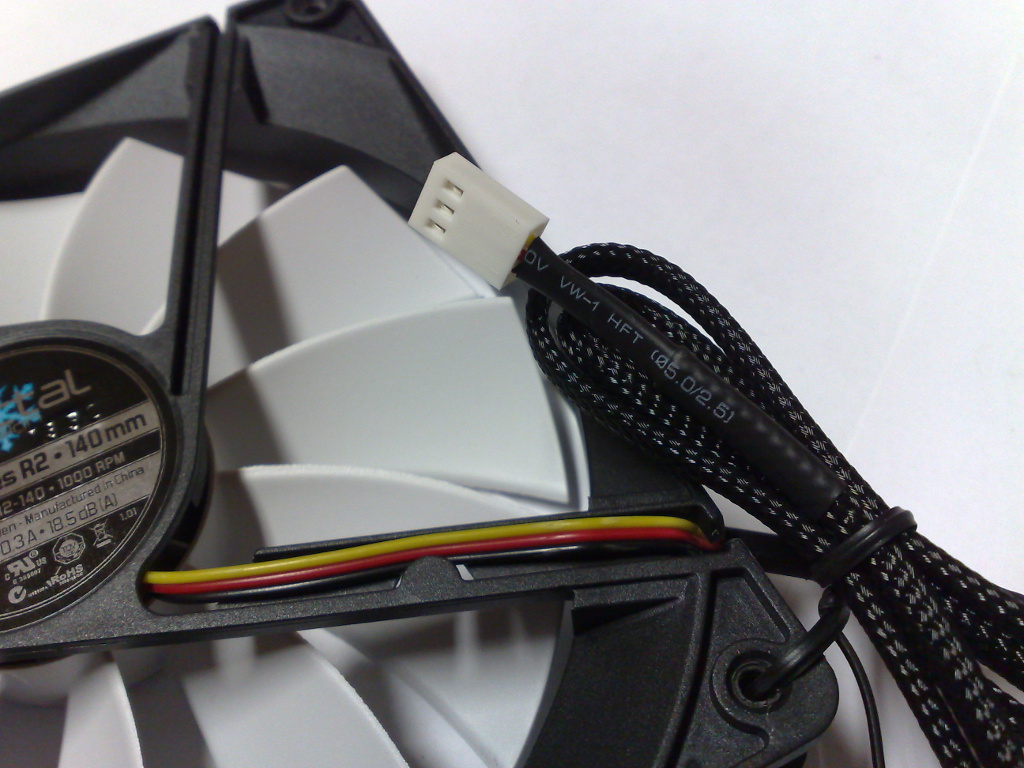
Fans often differ in the number of wires.
Source: Wikimedia Commons, Dsimic, CC BY-SA 4.0

2-pin:
+V;GND.
Such a fan simply gets power. You can control speed by changing supply voltage or PWM on the power line if the board and fan support it.
3-pin:
+V;GND;- tachometric signal (
tach/sense).
The third wire usually outputs a speed signal. It doesn't control speed by itself.
4-pin PWM:
GND;+V;- tachometric signal (
tach/sense); - PWM control signal.
On a 4-pin PWM fan, power is usually supplied constantly, and speed is set by a separate PWM line. This is not the same as rapidly switching the fan power on and off.
PWM and Tachometer
PWM is a control signal that sets the desired speed. Computer 4-pin PWM fans typically have a frequency around 25 kHz, and power stays constant.
If the PWM wire is not connected, many 4-pin fans run at full speed.
The tachometric signal shows RPM. It's needed if the device should understand:
- whether the fan is spinning or stopped;
- whether speed matches the command;
- whether a filter or duct creates too much resistance;
- whether the fan is jammed.
Tachometer doesn't replace temperature control. In a device with a heater, you need to monitor both temperature and airflow status if fan failure is dangerous.
Voltage and Current
Before connecting, check:
- fan voltage:
5V,12V,24V; - operating current;
- startup current;
- connector type;
- pinout;
- whether it has PWM;
- whether it has a tachometer;
- operating temperature;
- airflow direction;
- noise level;
- lifetime and bearing type.
You cannot power a fan from the controller's GPIO. GPIO is a signal, not a power output. Fan current must come from the power supply, a board power output, or a MOSFET module.
On startup, a fan may briefly draw more current than in normal operation. If multiple fans are connected to one output, their currents add up.
Noise, Vibration and Bearing
Noise depends on more than just RPM.
Sound is affected by:
- blade shape;
- balancing;
- bearing type;
- mounting;
- grill;
- duct;
- filter;
- enclosure resonance;
- multiple fans nearby.
Technical descriptions list noise in dB(A), but in a real enclosure the fan may sound different. A grill with poor geometry, a nearby wall, or stiff mounting to a thin panel can make a good fan noisy.
For a device that runs for hours, it's better to choose a fan not just by price and size, but by lifetime, bearing and temperature.
Temperature and Installation Location
A fan that works well on a bench may degrade quickly in a hot chamber.
Check:
- fan operating temperature;
- air temperature near the heater;
- distance from the heating element;
- whether hot flow hits the motor directly;
- whether the mounting softens;
- whether wires dry out;
- whether the fan gets clogged with dust or fibers.
If the fan is responsible for heater airflow, its failure should be considered in safety logic. You can't design a heater so that a stopped fan immediately creates a dangerous temperature without emergency shutdown.
Filters and Ducts
A filter, grill and duct can significantly reduce useful airflow.
Typical signs:
- fan is loud but airflow is weak;
- filter barely gets any air through;
- air bypasses the filter through gaps;
- temperature near the heater rises faster than chamber temperature;
- after mounting the cover, airflow is worse than on the bench.
To filter a chamber effectively, you need to not just put a fan, but ensure an air path through the filter. If air finds it easier to go through a gap, it will.
What to Check Before Buying
Before buying a fan, check:
- size and thickness;
- voltage;
- current;
- type: axial or radial;
- airflow;
- static pressure;
- noise;
- RPM;
- bearing type;
- 2-pin/3-pin/4-pin;
- operating temperature;
- lifetime;
- airflow direction;
- connector and pinout;
- whether it suits a filter, duct or free circulation.
For a filter and narrow duct, don't choose a fan only by CFM. Look at static pressure and test in real assembly.
Typical Errors
- connected 12V fan to 24V;
- connected 24V fan to 12V and thought it was broken;
- powering fan from GPIO;
- didn't establish common ground for external MOSFET/PWM;
- didn't account for startup current;
- connected multiple fans to a weak output;
- selected fan by size only;
- installed a free-flow fan on a dense filter;
- think tach wire is a control wire;
- think 4-pin PWM is the same as 2-pin;
- control 4-pin PWM fan by switching power on/off;
- installed fan in hot zone without temperature check;
- didn't check airflow after installing cover, filter and duct.
Main Point
A fan is chosen for the task: free circulation, filter, duct, radiator, heater or electronics cooling. For open space, airflow matters; for filters and ducts, pressure matters.
Check voltage, current, wire type, PWM/tachometer, operating temperature and real system resistance. In a device with a heater, the fan should be part of a safe thermal system, not a decorative component.
Reference Materials
- Noctua: Microcontroller guide for PWM and RPM monitoring - practical explanation of 4-pin PWM, tachometer, power and PWM frequency around 25 kHz.
- Noctua: Fan pin configuration - standard 4-pin fan pinout and behavior when only power is connected.
- SANYO DENKI: Fan Airflow and Static Pressure - explanation of airflow, static pressure, operating point and system resistance.
- DigiKey: Selecting A Fan - fan type selection, fan curve, system resistance and difference between axial and radial fans.
- Klipper Configuration Reference: Fans - official Klipper sections for fans:
fan,heater_fan,temperature_fan,controller_fanandfan_generic.